
DayliovsMomento
A side-by-side comparison of two leading journaling apps to help you find the best journal for your needs.
Disclosure: We built Reflection, so we're not neutral. With that said, we've done our best to keep this comparison fair and accurate to help you find the best app for you.
Quick Recommendation
You prefer quick visual mood tracking over long-form writing, and want to understand how your daily activities affect how you feel.
You want a journal that automatically builds itself from your social media feeds and digital activity, with minimal manual effort.
A Closer Look
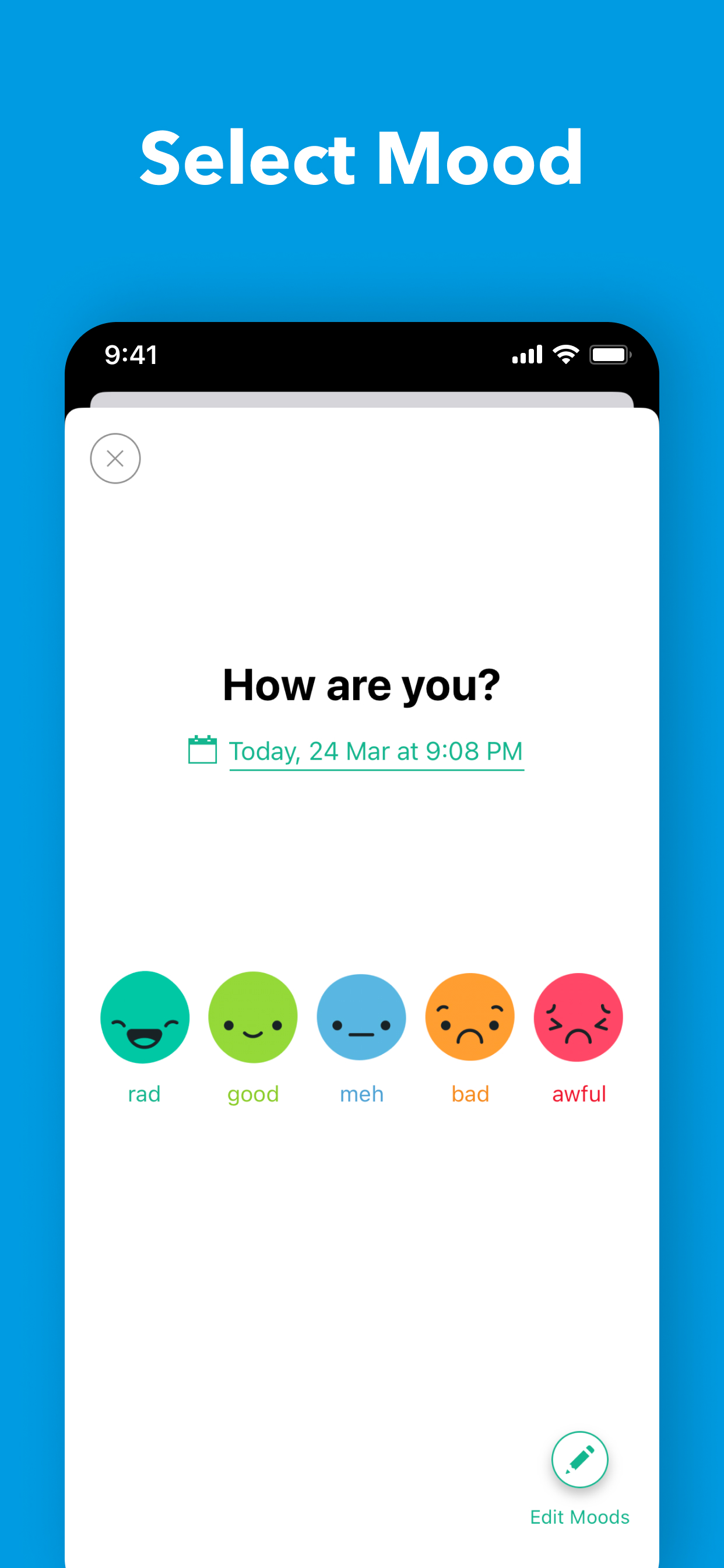
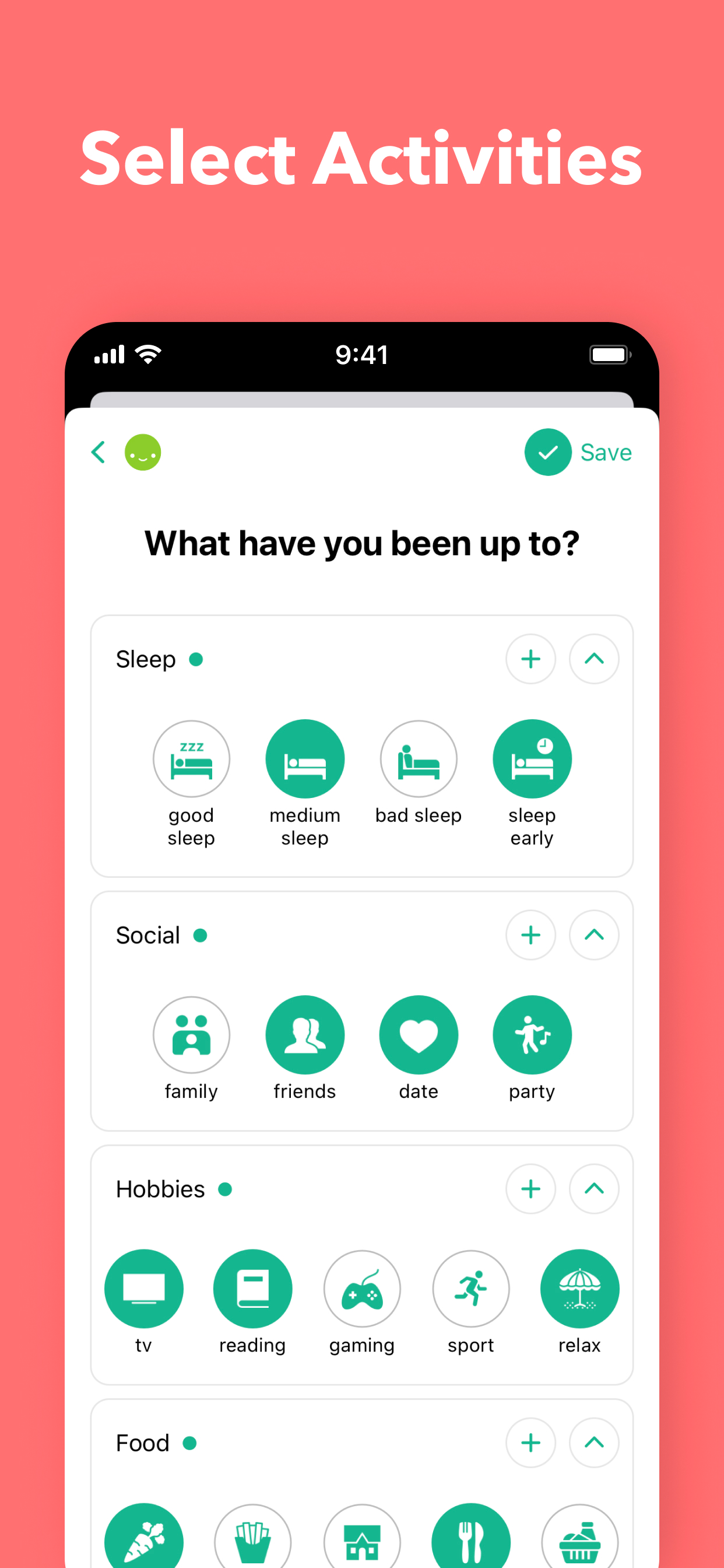
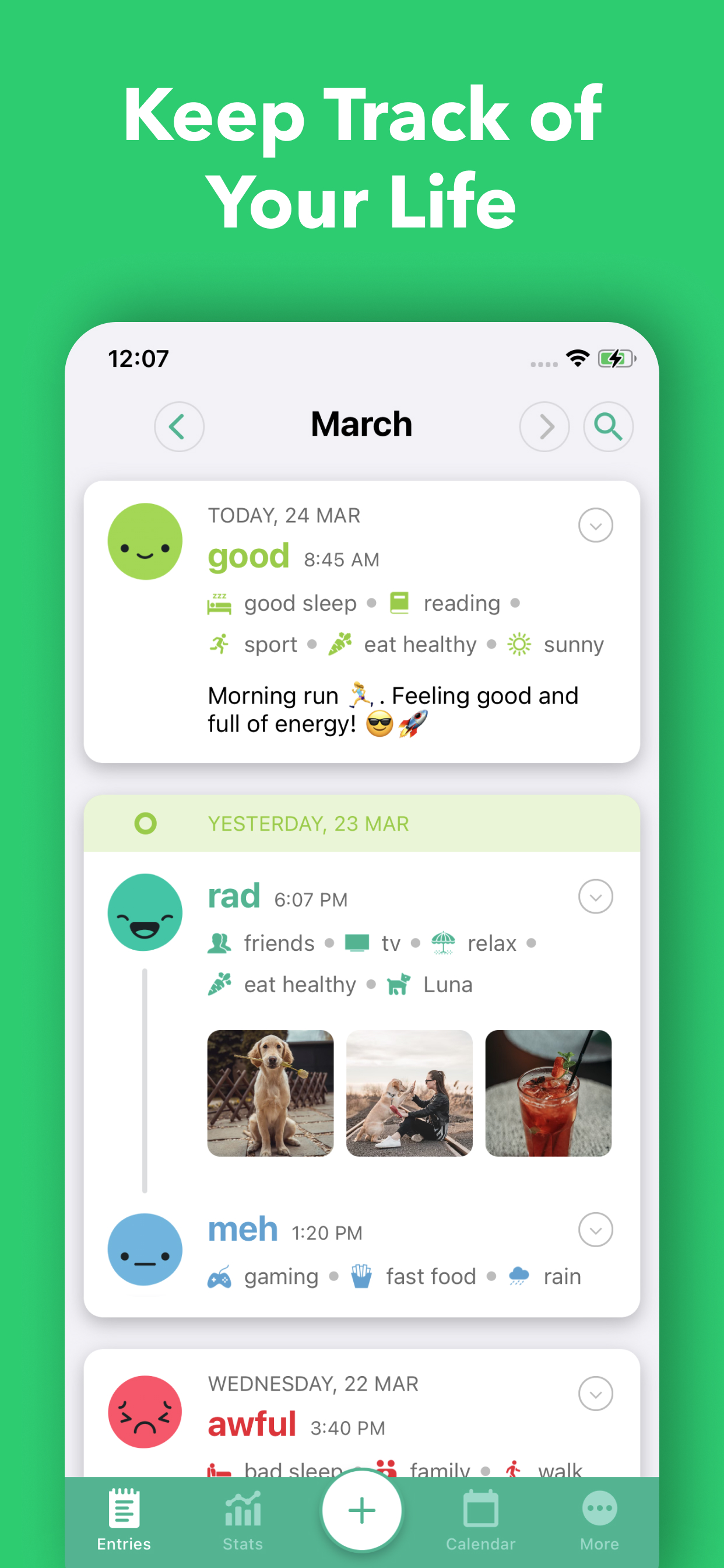
Daylio takes a different approach to journaling by focusing on quick, visual mood tracking rather than long-form writing. You log your mood on a five-point scale, tag the activities you did, and optionally add a short note or photo. Over time, Daylio builds charts and statistics showing correlations between your activities and mood patterns. Features like Year in Pixels, mood calendars, and activity correlations help you spot trends. It also includes habit tracking with customizable goals and reminders, making it a solid choice for people who want insights without the commitment of daily writing.

Momento takes a unique approach by automatically collecting your digital life into a journal. It pulls in posts from connected social media accounts, creating a daily record of your online and offline activity without requiring you to write anything. You can also create manual entries with rich text, multiple photos, tags, and locations. The app is designed for people who want a journal that builds itself from the content they're already creating elsewhere.


Feature Comparison
Daylio focuses on quick mood logging and activity tracking rather than traditional journaling, offering daily prompts, export options, and a free tier. It lacks AI-powered insights, voice coaching, voice transcription, a guide library, personalized prompts, and multi-platform support (it's mobile-only). The feature comparison below shows how Daylio trades depth of journaling tools for speed and simplicity in tracking your emotional patterns.
Momento is a passive journaling app that automatically aggregates your social media posts, photos, and digital footprint into a daily diary. It's iOS-only and doesn't include AI-powered insights, voice coaching, guided prompts, or multi-platform support. Momento does offer a free tier and export options, but its feature set is narrower than most journaling apps on the market. If you want a journal that builds itself without much effort, Momento delivers — but for deeper self-reflection tools, you'll want to look elsewhere.
Frequently Asked Questions
.svg)

No. Daylio is designed for quick check-ins — you tap your mood, select the activities you did, and optionally add a short note. Most entries take under 30 seconds.
Momento connects to your social media accounts and pulls in your posts, photos, and activity to create a daily diary automatically — no manual writing required unless you want to add to it.
Yes. Daylio generates charts and statistics that show correlations between your activities and mood over time, including a Year in Pixels view and detailed mood calendars.
Yes. In addition to automatic social media imports, you can create manual entries with rich text, multiple photos, tags, and location data.
Yes. Daylio works fully offline and stores your data locally on your device. You can optionally back up your data to Google Drive or iCloud.
No. Momento is currently available only on iOS. There is no Android version at this time.

The latest from our blog