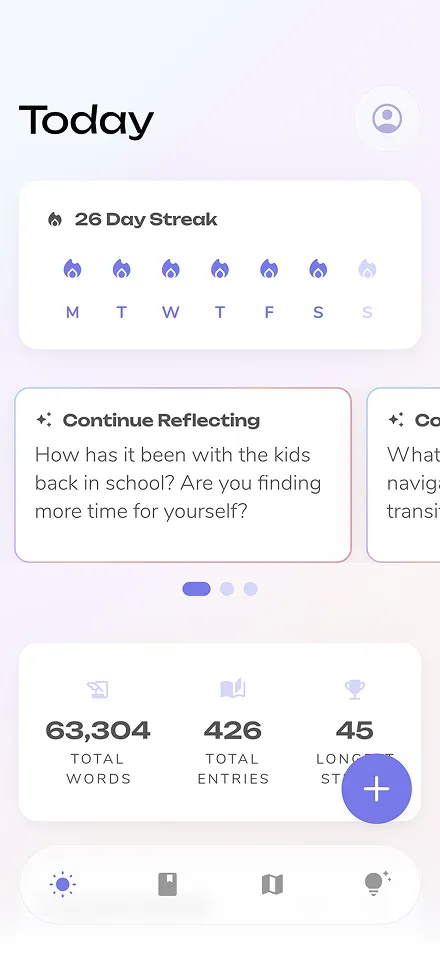
Changelog
A Faster Web App, Steadier AI, and Stronger Search

A Faster Web App — Reflection on the web is now compiled to WebAssembly and running on the latest engine, so it starts up faster and stays smoother as you write, scroll, and move between entries.
AI That Rides Out a Bad Connection — Personalized prompts, your Today page, and AI Coach now retry on their own when the network drops, instead of stopping at an error. Fewer dead ends on a train, on a plane, or anywhere your signal comes and goes.
Search Built for Bigger Journals — Journal-wide Search is far steadier on large journals, so years of entries return an answer instead of timing out.
Coaching in Your Language and Your Tone — One consistent language rule now runs across every AI feature, so responses come back in the language you write in and match the tone you set.
And more...
- AI Coach responses keep their paragraph breaks and bulleted lists intact
- Signing in lands you on your journal reliably, with clearer errors if Google Sign-In can't complete
- Entries land on the right day on devices using older timezone names
- The in-app Shop link resolves again
- Bug and crash fixes throughout
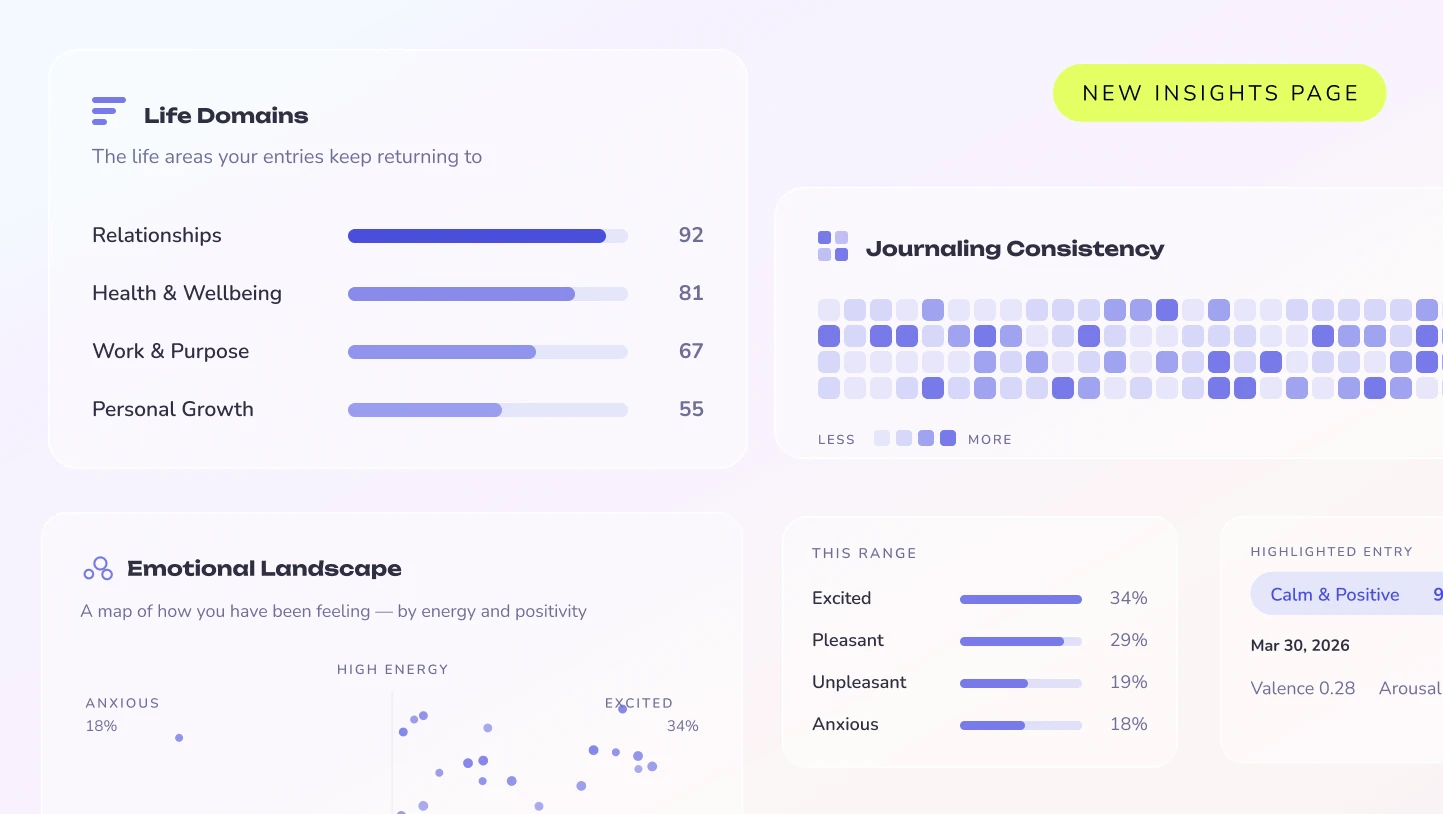
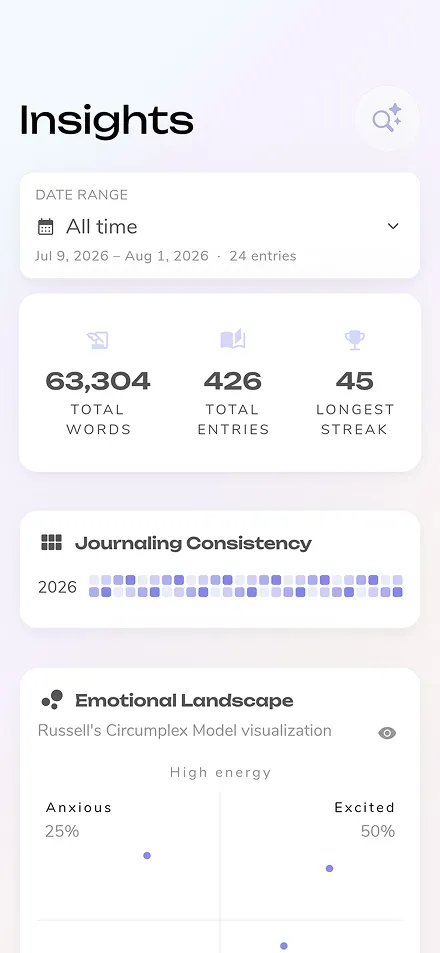
The All-New Insights Page — Your Insights page has been rebuilt from the ground up to show you what your journaling is actually revealing. Pick any time range and explore your Sentiment over time, your Emotional Landscape — a map of how you've been feeling by energy and positivity — and the Life Domains your writing keeps returning to. A Journaling Consistency view shows your practice at a glance, alongside the themes and tags running through your entries.
Add Your Photo — You can now add a photo to your account and see it across Settings. Take one on the spot or pick from your library, and swap or remove it whenever you like.
Search From Your Home Screen — Press and hold the Reflection icon on iOS or Android to jump straight into Search, so finding that entry from last spring takes one step instead of three.
And more...
- Every subscription option — monthly, annual, and lifetime — is now reachable from the paywall
- Long entries save more reliably, with a clear explanation on the rare occasion one is genuinely too large
- Dividers and bulleted lists stay intact in your entries and in Depth responses
- Short Android voice recordings are better protected when a call or alarm interrupts you
- Quick templates, the web editor, and premium status are all more dependable, plus bug and crash fixes throughout
iOS Delights— Create a new entry straight from iOS Spotlight — just search and go, before the thought slips away. You can also share text from any app right into Reflection to turn it into an entry, not just photos.
Smoother Voice Journaling — Voice coaching now handles longer sessions, the "Upload audio" option is back in the recorder, and desktop dictation no longer repeats paragraphs. We also fixed a crash that could interrupt the voice coach on iOS.
More Reliable Exports and Imports — Moving your journal in and out of Reflection is more dependable now, including CSV imports — so your entries come through complete and intact.
And more...
- Change your account email right from Settings, with secure verification
- Name your quick templates when you save them, and rename them anytime
- Native pull-to-refresh on your Journal
- Journeys now offer a gentler, alternate prompt on emotionally heavy days
- The editor's text-scale control now shows its current value
- Smoother sign-in, plus bug and crash fixes throughout
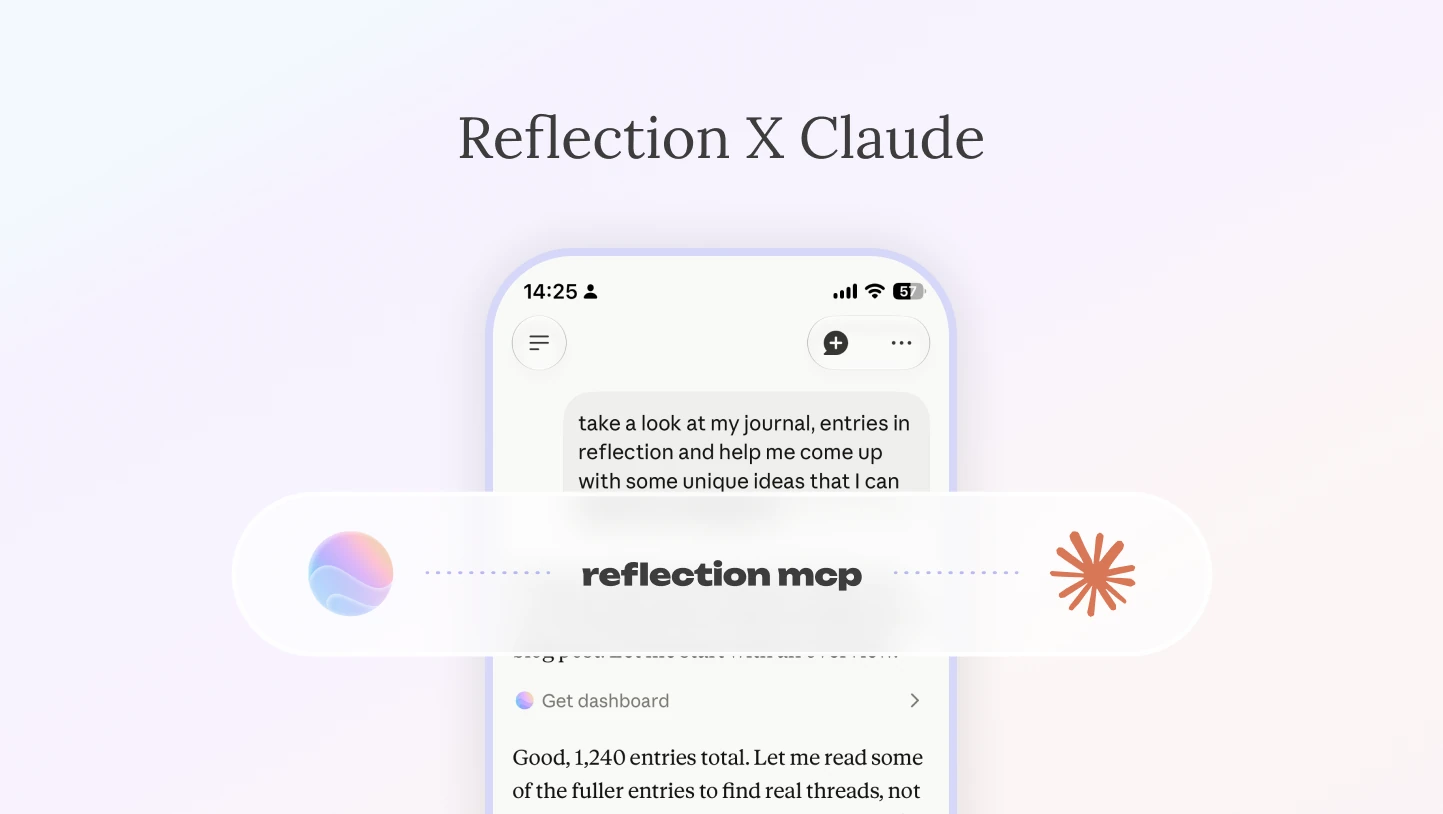
The Reflection MCP — Connect your journal to Claude and turn it into something you can build on. Save a conversation or thread straight to your journal, ask Claude to surface patterns and insights across your entries, and bulk import, tag, and organize past writing — all from your AI client. It's the foundation for a whole new way to work with your reflections. Read the announcement and setup guide, or start with our guide to AI journaling with MCP if you're new to the protocol.
A Smoother Inline Coach — The inline coach feels more responsive: a cleaner loading animation, a keyboard that stays put while you type, and voice dictation that works just like it does everywhere else in the app. Responses across coach, voice, insights, and search now share one consistent, calmer design.
Voice Journaling That Understands You — Spoken formatting now works the way you'd expect — say "new paragraph" and you get a paragraph break, not the words typed out. Plus more reliable recording and transcription, and the return of free-form voice journaling for when you just want to talk.
Sharper Handwriting Scan — Improved scan-to-text accuracy, so your handwritten pages come through more faithfully when you bring them into Reflection.
And more...
- More reliable templates and daily prompts — saved templates stay put, and your daily prompt and calendar stay on the right day
- Refined insights and dates — better post-entry patterns, smarter handling of very short entries, and more accurate streak and date calculations
- Smoother animations, and refreshed icon set
- Major sign-in, sync, and stability improvements
- More dependable upgrades and checkout across web and the app stores
Smarter, Smoother Sign-In — Reflection now remembers and labels the last method you used to sign in on each device, so getting back in is faster. Empty-password attempts surface Forgot Password right away, and confusing account-linking conflicts now show clear guidance instead of failing unexpectedly.
A More Reliable App — Big improvements to startup and reinstall reliability, plus safer entry saving and sync: failed saves keep your page open, offline edits no longer risk wiping your local entries, and download hiccups no longer crash the app. Notifications and guides also load more dependably.
A Sharper Coach and Depth — The inline coach feels less repetitive across turns, and Depth now resolves relative dates more reliably and answers clear perspective questions directly instead of asking unnecessary follow-ups. AI coaching also follows your device language more consistently.
Consistent Daily Prompts on Web — Your daily prompts and questions now stay the same all day instead of reshuffling every time you refresh.
And more...
- Word count now works correctly for Arabic and other non-Latin scripts
- Android users who can't use Google Pay now get a clear web-upgrade fallback
- Premium access stays intact even if a status refresh hits a hiccup
- More resilient voice, scan, and audio flows, including smoother audio waveform seeking
- Large-text layouts and iPad share sheets now display correctly
Refreshed Voice Journaling and Longer Recordings
A Refreshed Voice Journal Experience — A redesigned voice journaling experience that's cleaner, calmer, and easier to use whenever you'd rather talk through your day than type it out.
Support for Longer Recordings — We've increased the transcription timeout so longer voice entries come through smoothly, with clearer error messaging if something does go wrong.
And more...
- Fixes for several bugs affecting guides and coach responses
- Updated design for overlay messages and banners across the app

Scan Your Written Journal Pages — Snap a photo of any handwritten page and bring it into Reflection. Your paper journals can now live alongside your digital ones, searchable and woven into the rest of your reflections.
A More Polished Desktop Experience — A cleaner interface, smoother toolbar interactions, more refined hover states, and better scrollbars across desktop and web. New shortcut tooltips help you find what you need faster.
Share Feedback on AI Responses — See something off in a AI response? You can now report it directly so we can keep making it better.
Refined Dialogs and Overlays — Smoother animations, more consistent actions, and better tap behavior across every dialog and overlay in the app.
And more...
- Better support for dictation apps (like WisprFlow) and clipboard managers (like Raycast) on macOS and web
- Improved shared entry rendering for more reliable content display
- Fixed several feedback and reporting flow issues, including keyboard overlap and input handling
- Improved subscription reminders for users switching to lifetime plans
- Stability and maintenance improvements throughout
Inline AI Coach — Like texting with a coach while you journal. Get instant responses as you write, switch between text and voice, and weave coaching insights directly into your entry.
Private Entries Now Excluded from AI — Mark any entry as "Private" and it goes beyond just blurring and requiring a passcode to view — it also won't appear in AI search, insights, themes, or any of your reviews. You'll see a clear indicator so you always know which entries are fully excluded.
Cleaner Writing Experience — On desktop and web, the editor toolbar now gently fades while you're typing, so you can focus on your thoughts without distraction. It reappears instantly when you need it.
And more...
- Refreshed dialog design throughout the app with a cleaner, more consistent look
- Fixed an issue where new entry quick actions weren't appearing — they're back
- Fixed an issue where weekly reviews could miss Saturday entries or show incorrect dates around daylight saving time changes
- Recovered drafts now correctly show their original date instead of today's date
- Editing tags no longer clears your insights
- Undoing an AI response no longer disrupts surrounding text in your entry
Coach Now Works With Your Templates — Ask your coach to pull up any of your saved custom templates during a conversation for a more personalized coaching session.
Refreshed Multi-Day Journeys — We've redesigned the experience for our multi-day Reflect and Reset and Gratitude Journeys with an updated, cleaner interface.
Smarter Insights — Big improvements to the quality of insights you receive both during and after your entries, so your reflections go deeper.
Better Multi-Language Support — Improved experience for users journaling in languages other than English.
Smoother Onboarding — We've refined the first-time experience for a more intuitive start for new users.
And more...
- Updated iOS and macOS icons with tint support
- Coaching conversations now end with a clear summary instead of a raw transcript
- Fixed an issue where the button to create an entry from an AI response wasn't working
- Further refinements and improvements to import support
- Fixed an issue with weekly review dates in journal view
New Weekly and Monthly Reviews
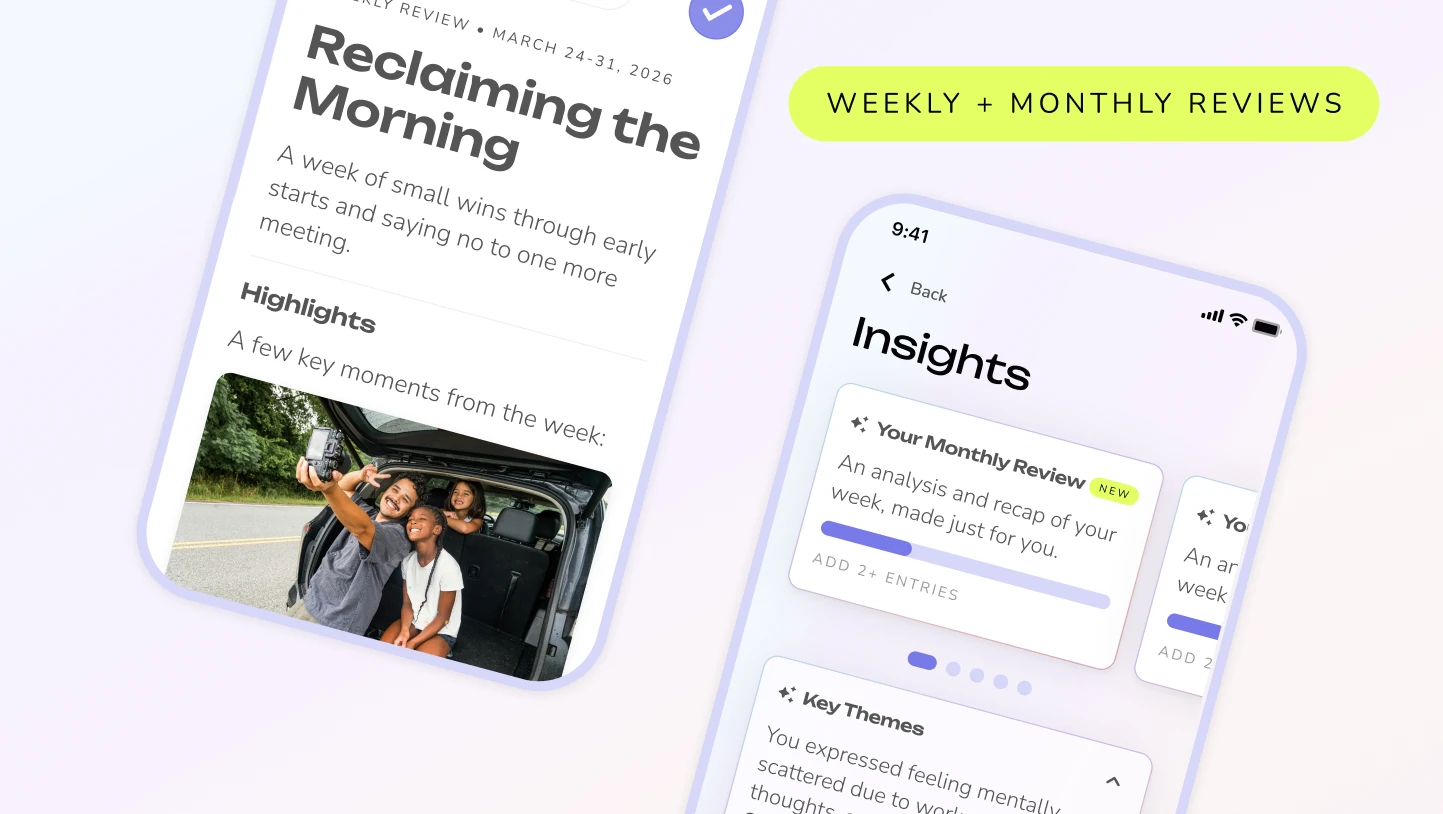
Version 6.19 introduces our new Weekly and Monthly Reviews, Undo & Redo, and so much more...
Undo & Redo support — the editor now lets you quickly fix mistakes or revert changes as you write.
New Weekly and Monthly Reviews — Look back on your growth with dedicated Weekly, Monthly, and Annual reviews, all with a smoother, more intuitive editing experience.
And more...
- Dark and tinted icon variants for macOS
- Improved AI responses for more insightful interactions
- Fixed date-matching bugs in search queries
- Enhanced review editor performance
We’d love to hear what you think!
Introducing Coach, CSV Imports, and More!
Introducing Coach, our voice-powered journaling companion. Get personalized guidance and real-time insights based on everything you've written. Plus so much more...
- AI Enhancements: Enjoy improved theme analysis, personalized daily prompts, and seamless conversation continuity.
- Improved Import Support: Including importing from DayOne and CSV!
- Smart Guide Recommendations: Discover personalized guide recommendations tailored to your journaling style and preferences.
- Audio Transcription: Experience enhanced voice journaling with a new 10-minute recording limit and language-preserving transcription.
- Coaching Onboarding: Choose between a standard entry or a guided coaching session for a more personalized start.
- macOS Utilities: Benefit from enhanced keyboard input handling, supporting text expander utilities for a smoother journaling flow.
- Annual Review Fixes: Resolved issues with legacy drafts, bookmarked entries, and summary rendering for a flawless review.
- Stability: Fixed critical iOS crashes for a more stable and reliable journaling experience.
Annual Review, Search and Export Improvements
With your feedback we improved the Annual Review. While we were at it we made improvements to search, exports and more!
- Annual Review Enhancements: Improved summaries, an increased photo capacity, and smarter prioritization of your bookmarked entries.
- New Export Options: Easily archive or print your entire journal with the new PDF export feature.
- Tag Integrity: Introducing "Reserved System Tags" to protect feature-specific tags from accidental edits.
- Search Improvements: Enjoy auto-scrolling for follow-up questions and a cleaner interface.
- Disable AI: Opt for a traditional journaling experience by disabling AI Quick Actions.
- iPad Keyboard Fix: Improved compatibility with physical keyboards on iPad.
- Infrastructure: Upgraded to Flutter 3.38 for enhanced performance and stability.
- Bug Fixes: Resolved issues with iOS clipboard, and haptic feedback on Samsung devices.
Introducing the New Annual Review!
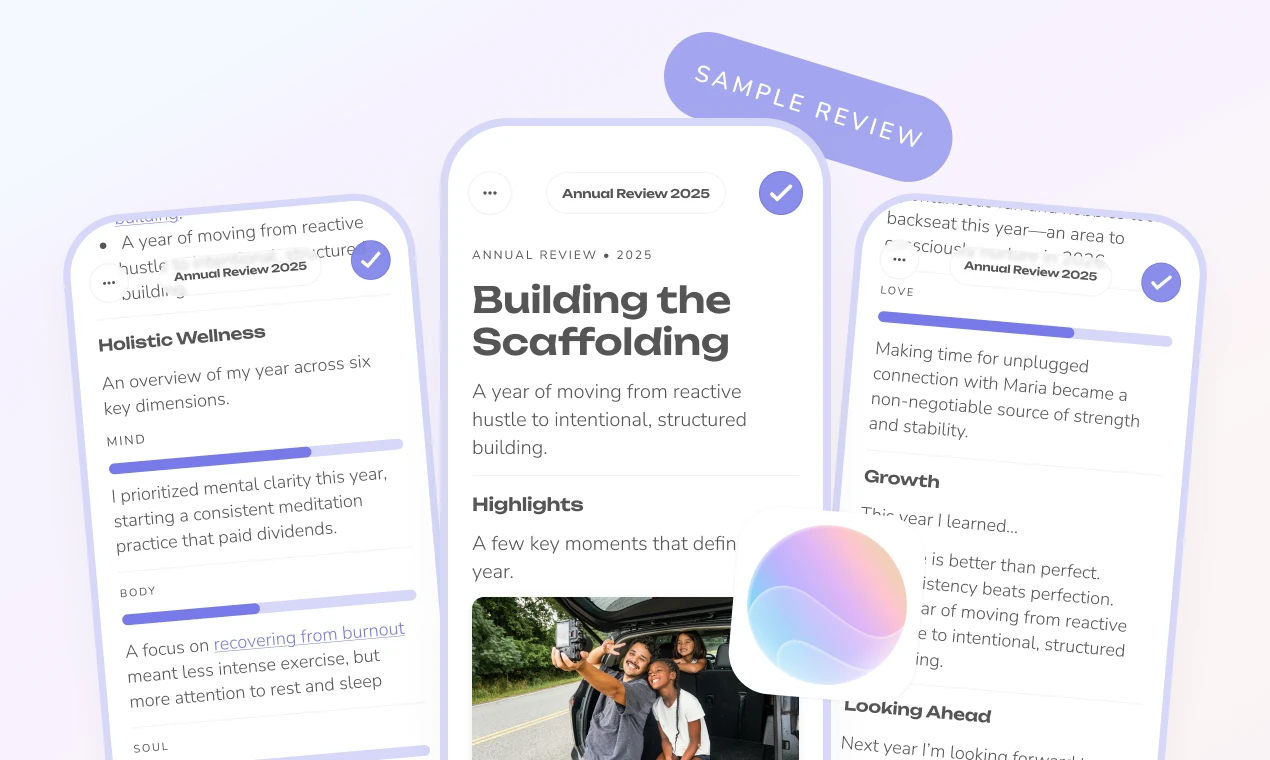
We’ve completely reimagined how you reflect on your year. Instead of starting with a blank page or a long list of questions, Reflection does the heavy lifting.
With a single click, Reflection gathers your entries from 2025 to instantly generate a beautiful, comprehensive review of your year. It highlights:
- Key Themes: The big ideas that defined your year.
- Holistic Wellness: Trends across your mind, body, and soul.
- Top Moments: Your most meaningful photos and highlights.
- Growth Patterns: How you’ve evolved over the last 12 months.
It’s fully editable and easily shareable—giving you the perfect "first draft" to wrap up your year with clarity and gratitude.
More Reliable Voice Journaling
We’ve made significant under-the-hood improvements to our voice engine. While mostly invisible to the eye, these updates make recording longer entries, syncing, and error recovery much more robust and reliable.
Updated macOS Icon
We've updated our app icon on Mac! It features a fresh, modern look that feels right at home in your dock and is compatible with a wider range of operating systems.
Introducing Patterns, Action Items, and Enhanced Stability
With your feedback, we have updated the Post-Entry Insights experience to help you not only reflect on your day but also identify recurring Patterns and concrete Action Items. Alongside these deeper insights, we’ve polished the interface and squashed several bugs to ensure your quiet moments of reflection remain uninterrupted.
Here is what’s new in this release:
New Features
- Enhanced Post-Entry Insights: We have upgraded the analysis you receive after journaling. It now offers more relevant context and includes two brand new sections: Patterns (to spot recurring themes) and Action Items (to help you move forward).
Improvements
- Visual Refresh: Updated the tinted app icon and the macOS dock icon.
- Settings: General UI polish to the settings page for better navigation.
Bug Fixes
- Stability & Data:
- Fixed an issue where Premium status and AI personalization settings were not saving.
- Resolved the Google Login button flashing issue.
- Corrected the enforcement of free transcript limits.
- Fixed profile names not updating correctly in coaching sessions.
- Editor & Layout:
- Fixed image compression artifacts in the Journal view.
- Resolved layout issues where the AI Quick Action bar and AI Options were obscuring text.
- Fixed the keyboard overlapping the dictation UI.
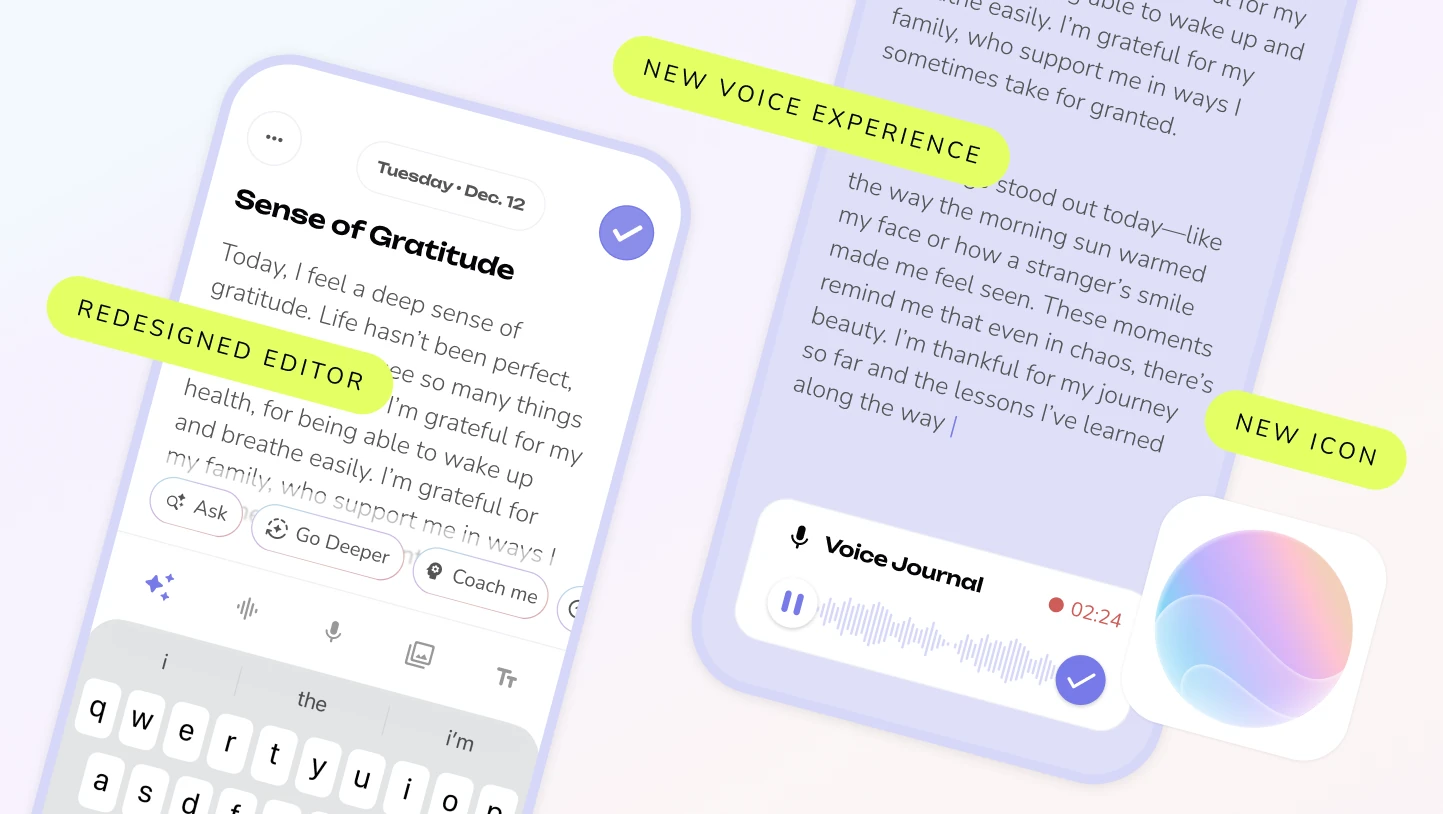
This update brings delights and performance improvements throughout the app. We've refreshed the app icon and entire app design with new liquid-glass inspired details. We also gave the editor—the heart of our app— a more intuitive and spacious feel.
Voice journaling got some love too with streamlined transcription, better error recovery, and a beautiful redesign. Plus lots of small delights sprinkled throughout.
Faster, Smarter Voice Journaling
- Improved transcription flow – recordings now go straight into your journal, no separate transcription step
- Better error recovery – voice sessions automatically retry when possible, preventing data loss
- Enhanced transcription for Free users – now included in your daily Depth limit
Editor Redesign
- Cleaner layout with smarter AI integration – new entries open with AI insights ready
- Liquid glass-inspired design throughout for a more polished feel
- Repositioned save button and date – moved to the top for better flow and more editor space
- Added back button when not editing entries
And More!
- New app icon with adaptive glass effect
- "Look Back" now automatically opens the most relevant tab
- Faster, more intuitive search experience
- Enhanced banners and paywalls that are more interactive and informative
- Smoother PIN code experience
- Better notification delivery
- Insights tab improvements – clearer messaging for new users and Android performance boosts
- Bug fixes for greater speed and stability