DiariumvsGrid Diary
A side-by-side comparison of two leading journaling apps to help you find the best journal for your needs.
Disclosure: We built Reflection, so we're not neutral. With that said, we've done our best to keep this comparison fair and accurate to help you find the best app for you.
Quick Recommendation
You want a one-time purchase journal with no subscription, strong Windows support, and automatic social media and fitness data imports.
You prefer structured, prompt-based journaling in a visual grid format over free-form writing.
A Closer Look
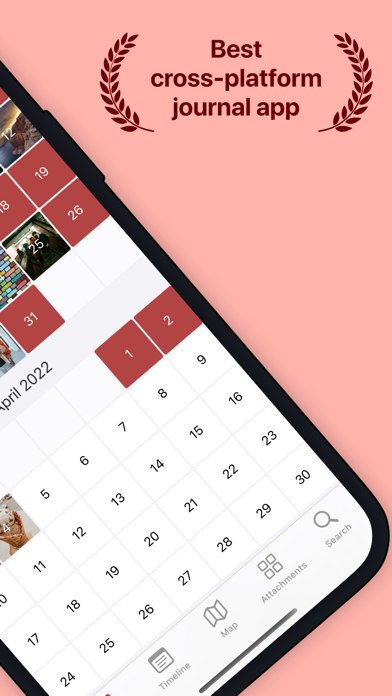
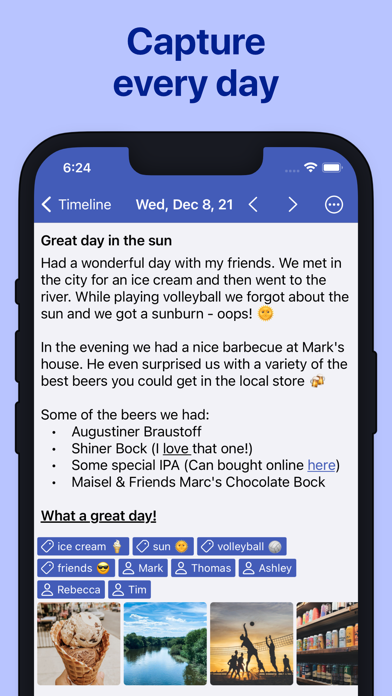
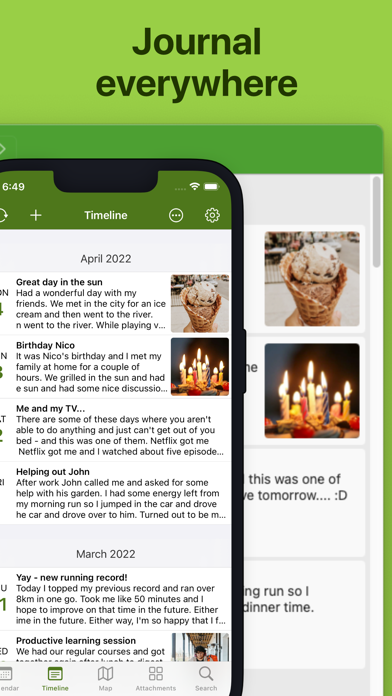
Diarium is a cross-platform diary app known for being one of the best journaling options on Windows, where it won a Microsoft Store Award in 2024. It automatically pulls in your photos, calendar appointments, social media posts, and fitness data from connected services like Facebook, Instagram, Google Fit, Fitbit, and Strava. Entries support unlimited attachments including photos, videos, audio, and PDFs. The app features speech-to-text dictation, password/PIN/biometric protection, and syncs via personal cloud storage like OneDrive, Google Drive, Dropbox, or iCloud.

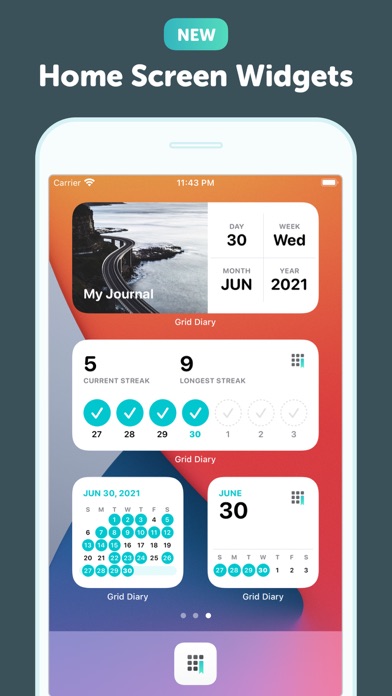
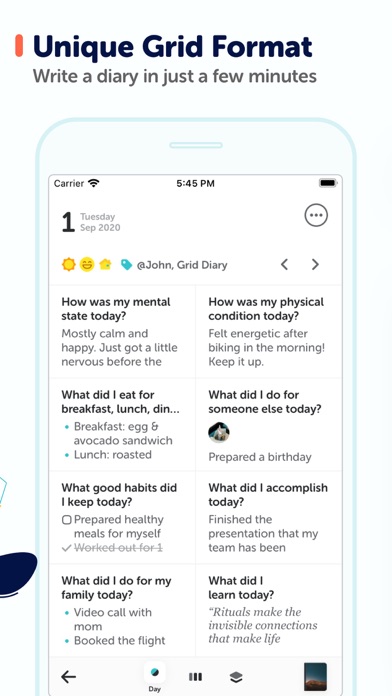
Grid Diary takes a unique approach to journaling by presenting a grid of customizable prompt boxes rather than a blank page. Default prompts include questions like 'What am I grateful for?' and 'What did I get done today?' but you can customize them to fit your routine. The structured format makes it easy to maintain consistency and review entries at a glance. The app also integrates with calendar and health apps and includes goal tracking features, making it a good option for people who prefer answering specific questions over free-form writing.


Feature Comparison
Diarium offers enhanced voice transcription, multi-platform support, export options, and a free tier, with particular strength on Windows where it's one of the top-rated journal apps. It doesn't include AI-powered insights, real-time voice coaching, a guide library, personalized prompts, or daily prompts. The feature comparison below shows Diarium as a solid traditional diary with automatic data imports, but without the AI and coaching features found in newer apps.
Grid Diary offers daily prompts, export options, and a free tier, with a unique grid-based format that structures your journaling around specific questions. It lacks AI-powered insights, voice coaching, voice transcription, a guide library, personalized prompts, and multi-platform support. The feature comparison below shows Grid Diary as a focused, structured journaling tool that keeps things simple but doesn't offer the AI-driven depth of newer apps.
Frequently Asked Questions
.svg)

No. Diarium uses a one-time purchase model per platform rather than a subscription, which makes it one of the most affordable long-term journaling options.
Instead of a blank page, Grid Diary presents a customizable grid of prompt boxes that you fill in each day. This structured format makes it easier to maintain consistency and review entries at a glance.
Yes. Diarium is one of the best journaling apps available on Windows, where it won a Microsoft Store Award in 2024. It also supports iOS, Android, and macOS.
Yes. While Grid Diary comes with default prompts like 'What am I grateful for?' and 'What did I accomplish today?', you can fully customize the grid to match your personal journaling routine.
Yes. Diarium automatically imports your photos, social media posts, calendar events, and fitness data from services like Facebook, Instagram, Google Fit, Fitbit, and Strava.
Grid Diary is currently available on iOS and the web. There is no Android app at this time.
The latest from our blog