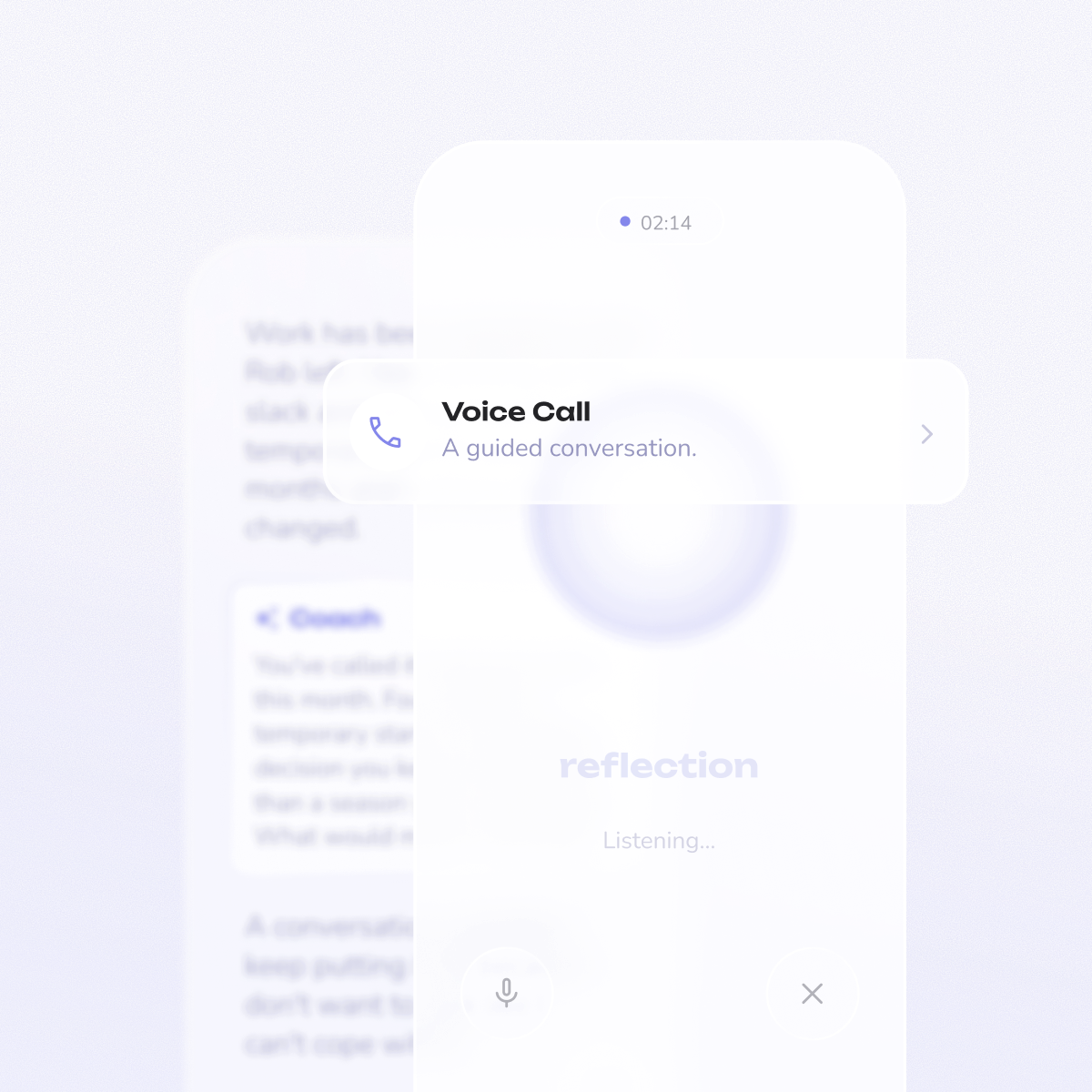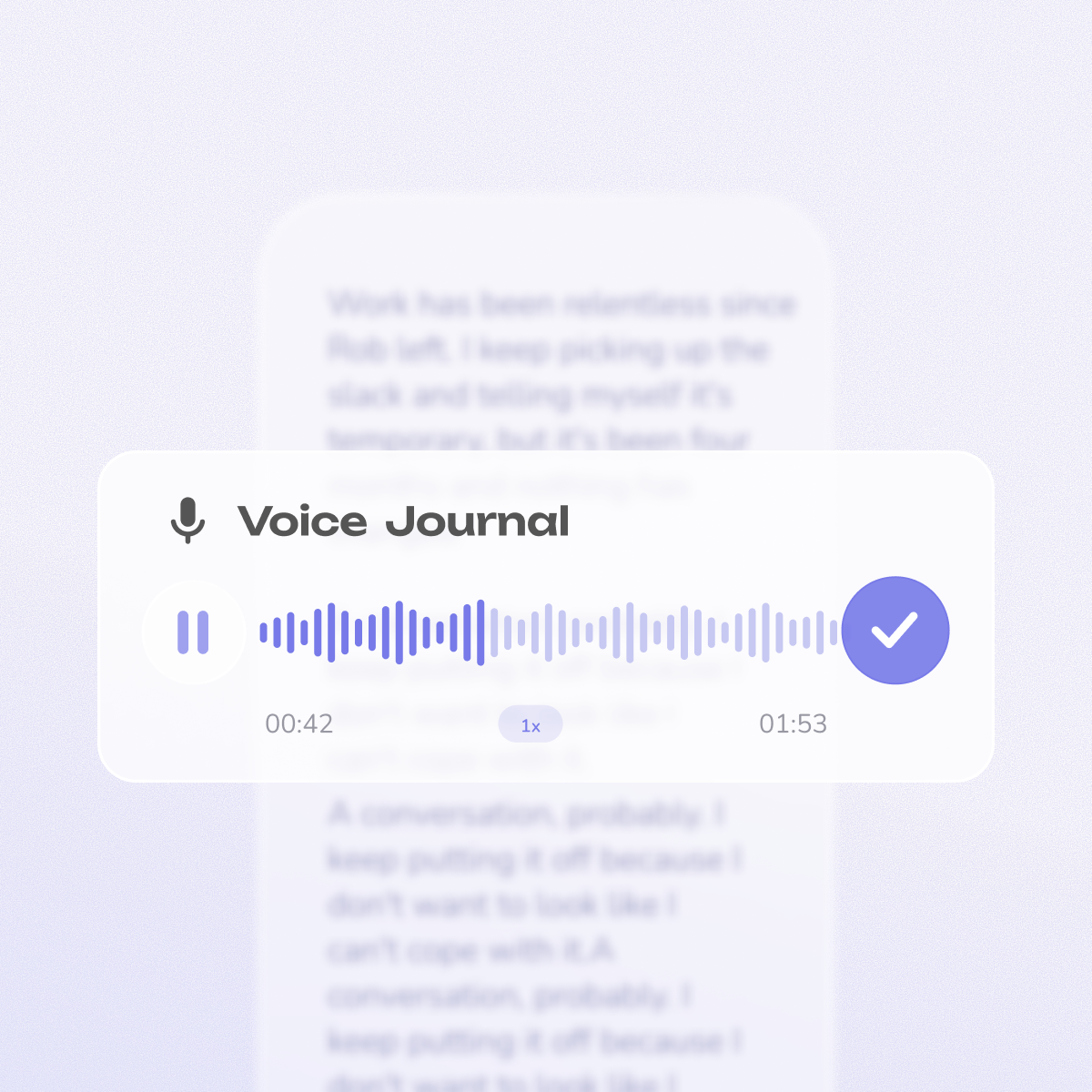


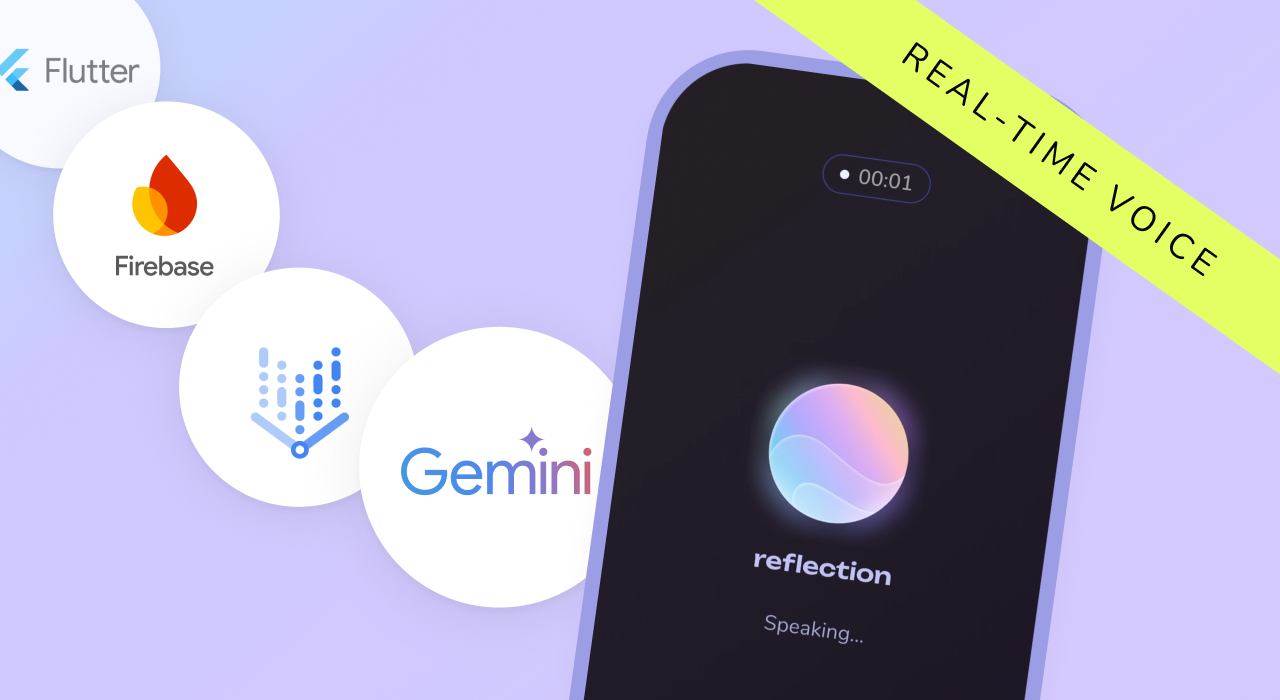
At Reflection, we recently shipped Interactive Coach—a voice-first AI coaching feature that lets users have real-time conversations about their day, then automatically transforms the session into a written journal entry.
This post covers the technical implementation: how we built bidirectional audio streaming with Google's Gemini Live API, the voice activity detection system that took weeks to get right, and the tool-calling architecture that gives our AI coach memory across journal entries.
We'll also share what didn't work, what we wish the API supported, and what we'd do differently.
A coaching session flows like this:
The four core layers:
Here's a first look at Interactive Coach—from opening a session to the AI-generated journal entry at the end.
Now let's dig into the hardest parts of the implementation.
Knowing when a user is done speaking sounds simple. It isn't.
The challenge: human speech has natural pauses. When someone says "So today at work... [pause] ...something really frustrating happened..."—that 2-second pause is thinking time, not the end of their turn. But a 3-second silence after "...and that's how I'm feeling" probably means they're done.
Get this wrong and either you interrupt their thoughts (feels rude) or you wait too long (feels sluggish).
Layer 1: Amplitude-Based Detection
We track audio amplitude in real-time against a configurable threshold. Key parameters:
```dart
/// Processes amplitude for Voice Activity Detection
Future<void> _processAmplitudeForVAD(double linearAmplitude) async {
  if (!_isRecording) return;

  _trackAmplitudeForSilenceDetection(linearAmplitude);

  // Check if amplitude indicates speech (above silence threshold)
  final isSpeech = linearAmplitude > _silenceThreshold;

  if (isSpeech) {
    if (_state is CoachingSessionProcessing &&
        _effectiveMode != StreamingMode.legacy) {
      _resumeDuplexStreamingState();
    }

    _speechFrameCount++;
    _speechDurationMs += 25; // 25ms per frame

    if (!_hasSpeechBeenDetected) {
      _hasSpeechBeenDetected = true;
      unawaited(HapticFeedback.mediumImpact());

      // Flush pre-roll buffer for streaming mode
      if (isStreamingMode) {
        await _copyPreRollToUserBuffer();
        unawaited(_flushPreRollBuffer());
      }
    }
    _resetSilenceTimer();
  } else if (_hasSpeechBeenDetected) {
    // Start silence timer only after speech detected
    if (_silenceTimer == null || !_silenceTimer!.isActive) {
      _startSilenceTimer();
    }
  }
}
```
Layer 2: Adaptive Volume Boosting
Not everyone speaks at the same volume. We normalize amplitude based on the user's baseline, so quiet speakers aren't constantly interrupted.
```dart
double get _silenceThreshold {
  final value = _remoteConfig.getDouble(
    RemoteConfigKey.ai_coaching_vad_silence_threshold
  );
  // Clamp to valid range to prevent bad values
  return value.clamp(0.001, 1.0);
}

Duration get _silenceTimeout {
  // Use mode-specific timeout configuration
  final configKey = _effectiveMode == StreamingMode.legacy
      ? RemoteConfigKey.ai_coaching_vad_silence_timeout_seconds
      : RemoteConfigKey.ai_coaching_vad_silence_timeout_continuous_seconds;
  final seconds = _remoteConfig.getDouble(configKey);
  // Clamp to valid range (0.5s to 10s)
  final clamped = seconds.clamp(0.5, 10.0);
  return Duration(milliseconds: (clamped * 1000).toInt());
}

Duration get _minUserSpeechDuration {
  final ms = _remoteConfig.getInt(
    RemoteConfigKey.ai_coaching_vad_min_user_duration_ms
  );
  return Duration(milliseconds: ms.clamp(100, 5000));
}
```
Layer 3: Streaming Mode Tuning
Different devices need different thresholds. We built three specific streaming modes to handle this:
```dart
/// Streaming mode for AI coaching sessions
enum StreamingMode {
  /// Original WebSocket-based bidirectional streaming
  legacy('legacy'),

  /// Native pause/resume with profile-based audio config
  checkpoint1('checkpoint1'),

  /// Advanced streaming with barge-in support
  checkpoint2('checkpoint2');
}
```
Layer 4: Barge-In Detection (CP2 only)
In advanced mode, users can interrupt the coach mid-sentence—just like a real conversation. We detect sudden amplitude spikes (35% threshold, sustained for 75ms) and immediately stop playback.
Barge-in parameters:
```dart
/// Process amplitude for barge-in detection during coach playback
void _processAmplitudeForBargeIn(double linearAmplitude) {
  // Only process if not in cooldown
  if (_bargeInCooldownActive) return;

  // Check if amplitude exceeds threshold
  if (linearAmplitude > _bargeInAmplitudeThreshold) {
    _bargeInConsecutiveFrames++;

    // Check if sustained detection threshold met
    if (_bargeInConsecutiveFrames >= _bargeInHoldFrames) {
      unawaited(_onBargeInDetected(linearAmplitude));
    }
  } else {
    // Reset counter if amplitude drops below threshold
    _bargeInConsecutiveFrames = 0;
  }
}
```
Layer 5: Remote Config Integration
All VAD parameters are tunable without app updates. This saved us after launch.
Real example: noisy environments caused false triggers. We analyzed logs (>5 false triggers per session), adjusted the threshold from 0.12 → 0.15 via Remote Config, and reduced false triggers by 67% within 24 hours. No app update required.
```dart
double get _bargeInAmplitudeThreshold {
  final value = _remoteConfig.getDouble(
    RemoteConfigKey.ai_coaching_barge_in_amplitude_threshold
  );
  // Clamp to valid range (0.05 to 0.75)
  return value.clamp(0.05, 0.75);
}

int get _bargeInHoldFrames {
  final frames = _remoteConfig.getInt(
    RemoteConfigKey.ai_coaching_barge_in_hold_frames
  );
  // Clamp to valid range (1 to 10)
  return frames.clamp(1, 10);
}

int get _minSpeechDurationMs {
  final ms = _remoteConfig.getInt(
    RemoteConfigKey.ai_coaching_vad_min_speech_duration_ms
  );
  // Clamp to valid range (50ms to 2s)
  return ms.clamp(50, 2000);
}
```
Generic chatbots respond generically. We wanted our coach to remember—to reference actual entries and create continuity across sessions.
Gemini Live's tool calling made this possible. We implemented four functions:
When a user says "I've been feeling stressed about work lately," the coach can search their journal history for related entries.
```dart
vertex.FunctionDeclaration(
  'searchUserEntries',
  'Search through the user\'s journal entries by keywords, date range, '
  'tags, or mood. Use this whenever the user references timeframes, '
  'emotions, or topics.',
  parameters: {
    'query': vertex.Schema.string(
      description: 'Optional search query for entry content or themes.',
    ),
    'dateFrom': vertex.Schema.string(
      description: 'Start date in YYYY-MM-DD format.',
    ),
    'dateTo': vertex.Schema.string(
      description: 'End date in YYYY-MM-DD format.',
    ),
    'tags': vertex.Schema.array(
      items: vertex.Schema.string(),
      description: 'Filter by specific tags attached to entries',
    ),
    'mood': vertex.Schema.string(
      description: 'Filter by mood (happy, sad, anxious, grateful, stressed)',
    ),
    'limit': vertex.Schema.integer(
      description: 'Maximum entries to return (default: 10, max: 20)',
    ),
    'permissionContext': vertex.Schema.string(
      description: 'How/when permission was granted for this search.',
    ),
  },
  optionalParameters: [
    'query', 'dateFrom', 'dateTo', 'tags', 'mood', 'limit', 'permissionContext'
  ],
),
```
Key design decision: we support date-only searches (query=null) for questions like "what did I write last week?" with a cascading fuzzy fallback strategy when exact matches fail.
Search results are truncated (2000 chars). When the coach needs full context, it can retrieve the complete entry.
When coaching starts from within a draft entry, the coach can read what the user has already written.
Users can end sessions conversationally ("I think that's all for today, thanks!") instead of pressing buttons. The coach responds with a warm goodbye before gracefully closing the session.
```dart
vertex.FunctionDeclaration(
  'endCoachingSession',
  'End the current coaching session when the user explicitly indicates '
  'they want to finish, stop, conclude, or end the conversation. '
  'Use this for phrases like: "that\'s all", "I\'m done", '
  '"let\'s stop here", "end session", "goodbye", "finish up", '
  '"wrap this up", "let\'s conclude", "I think we\'re done", etc.',
  parameters: {
    'reason': vertex.Schema.string(
      description: 'Brief reason or context for ending '
          '(e.g., "user requested end", "conversation concluded")',
    ),
  },
  optionalParameters: ['reason'],
),
```
Here's how these work together:
User: [Opens coaching from entry about work anxiety]
Coach: [Calls getCurrentEntryContent] "I can see you've started writing about work anxiety. What happened today?"
User: "My manager criticized my presentation in front of the team."
Coach: [Calls searchUserEntries: query="manager criticism", dateFrom="last month"] "I remember you wrote about something similar three weeks ago. You felt unsupported then. How does today compare?"
User: "Worse. I'm questioning if I belong in this role."
Coach: [Calls getFullEntry on that earlier entry] "Looking at your full entry from that time, you felt this way initially but then wrote about overcoming it by [specific strategy from their entry]. Let's explore what worked then..."
The AI decides when to call functions based on natural language—no manual triggers. Tool calls happen invisibly; users see smooth conversation, not "Searching database..."
iOS audio hardware takes 300-500ms to initialize. If the coach tries to speak immediately, there's awkward silence.
Our solution: "prime" the audio system by playing silent audio on session start, then queue the actual greeting. Instant playback when the coach speaks.
```dart
// iOS audio priming - eliminates first-play latency
if (Platform.isIOS) {
  await _audioPlayer.play(silentAudioSource);
  await Future.delayed(const Duration(milliseconds: 100)); // This 100ms "warm-up" saves 300-500ms of awkward silence on first playback.
}

// Now real audio plays instantly
await _audioPlayer.play(coachGreetingSource);
```
Gemini Live now provides native transcription for both user input and AI responses. Previously, we built a background transcription service that processed audio after the session. Now transcripts arrive in real-time alongside the audio—zero latency, perfect sync, and one less service to maintain.
```dart
// Firebase AI 3.6+ provides built-in transcription
final liveConfig = vertex.LiveGenerationConfig(
  responseModalities: [vertex.ResponseModalities.audio],
  speechConfig: vertex.SpeechConfig(voiceName: config.voiceName),
  // Enable automatic transcription for both directions
  inputAudioTranscription: vertex.AudioTranscriptionConfig(),
  outputAudioTranscription: vertex.AudioTranscriptionConfig(),
);

// Transcriptions arrive as LiveServerContent events
void _handleResponse(vertex.LiveServerContent content) {
  // User speech transcription
  final inputTranscription = content.inputTranscription?.text;
  if (inputTranscription != null) {
    _userTranscript.write(inputTranscription);
  }

  // AI response transcription
  final outputTranscription = content.outputTranscription?.text;
  if (outputTranscription != null) {
    _coachTranscript.write(outputTranscription);
  }
}
```
Gemini Live has a 10-minute session limit (Firebase constraint). We warn users at 5 and 9 minutes, then gracefully save and end the session before timeout.
```dart
// Session duration management
static const Duration _maxSessionDuration = Duration(minutes: 9, seconds: 30);
static const Duration _fiveMinuteWarning = Duration(minutes: 5);
static const Duration _oneMinuteWarning = Duration(minutes: 9);

void _startDurationTimer() {
  _durationTimer = Timer.periodic(const Duration(seconds: 1), (timer) {
    final elapsed = DateTime.now().difference(_sessionStartTime);

    if (elapsed >= _fiveMinuteWarning && !_fiveMinuteWarningShown) {
      _showWarning('5 minutes remaining in this session');
      _fiveMinuteWarningShown = true;
    }

    if (elapsed >= _oneMinuteWarning && !_oneMinuteWarningShown) {
      _showWarning('1 minute remaining - wrapping up soon');
      _oneMinuteWarningShown = true;
    }

    if (elapsed >= _maxSessionDuration) {
      _endSessionGracefully('Session time limit reached');
    }
  });
}
```
Voice AI is unusable with poor connectivity. We built automatic reconnection and graceful degradation—monitoring connectivity and pausing/resuming the session accordingly.
Raw conversation transcripts don't make good journal entries. They're choppy, repetitive, and unstructured.
So at session end, we run the transcript through an AI-powered narrative generator that:
The result: users get a polished journal entry that reads like they spent 20 minutes writing, but it only took a 6-minute conversation.
```dart
class CoachingSessionNarrative {
  final String title;              // AI-generated title for the entry
  final List<NarrativeSection> sections;  // Thematic sections with headings
  final List<String> keyTakeaways; // Bullet points of insights
}

// The magic happens after the session ends
final narrative = await _aiService.processCoachingSessionNarrative(
  sessionTranscript: rawTranscript,
  durationMinutes: sessionData.sessionDurationMinutes.round(),
);
```
If you have been following our journey you know we love Flutter and Gemini, but there is still room for improvement. Here is what is missing for us right now:
Currently, you can only set one response modality (TEXT or AUDIO) per session. We'd love to support users typing and speaking in the same threaded conversation—starting with voice, then switching to text for a private moment, then back to voice. The API doesn't support this today.
The 10-minute session limit works for quick check-ins but feels constraining for deeper reflection. Session resume helps, but seamless extended sessions would be better.
Audio tone analysis (pitch, pace, energy) would let the coach adapt its style based on detected emotional state. We're exploring this as a client-side addition.
Design for voice-first, not voice-added. We initially adapted our text prompts for voice. They sounded robotic. Voice requires shorter turns, more natural language, and active listening cues.
Latency is everything. Users tolerate about 200ms of delay before a voice response feels broken. We optimized every millisecond—audio buffering, network requests, UI updates.
Graceful degradation over perfect performance. Our CP1/CP2/Legacy modes mean the experience scales across devices. Better to deliver a simpler experience than crash on older hardware.
Remote Config is essential. Being able to tweak prompts, VAD thresholds, and streaming modes live—without app updates—saved weeks of iteration time.
Audio is surprisingly hard. Sample rates, codec compatibility, platform-specific APIs, Bluetooth headset delays. Test on real devices early and often.
Take our coach for a spin! Download Reflection on iOS, Android, Mac, or Web and start a coaching session. We’d love to hear what you think!
Written by Isaac Adariku, Lead Flutter Developer at Reflection.
At Reflection, we recently shipped Interactive Coach—a voice-first AI coaching feature that lets users have real-time conversations about their day, then automatically transforms the session into a written journal entry.
This post covers the technical implementation: how we built bidirectional audio streaming with Google's Gemini Live API, the voice activity detection system that took weeks to get right, and the tool-calling architecture that gives our AI coach memory across journal entries.
We'll also share what didn't work, what we wish the API supported, and what we'd do differently.
A coaching session flows like this:
The four core layers:
Here's a first look at Interactive Coach—from opening a session to the AI-generated journal entry at the end.
Now let's dig into the hardest parts of the implementation.
Knowing when a user is done speaking sounds simple. It isn't.
The challenge: human speech has natural pauses. When someone says "So today at work... [pause] ...something really frustrating happened..."—that 2-second pause is thinking time, not the end of their turn. But a 3-second silence after "...and that's how I'm feeling" probably means they're done.
Get this wrong and either you interrupt their thoughts (feels rude) or you wait too long (feels sluggish).
Layer 1: Amplitude-Based Detection
We track audio amplitude in real-time against a configurable threshold. Key parameters:
```dart
/// Processes amplitude for Voice Activity Detection
Future<void> _processAmplitudeForVAD(double linearAmplitude) async {
  if (!_isRecording) return;

  _trackAmplitudeForSilenceDetection(linearAmplitude);

  // Check if amplitude indicates speech (above silence threshold)
  final isSpeech = linearAmplitude > _silenceThreshold;

  if (isSpeech) {
    if (_state is CoachingSessionProcessing &&
        _effectiveMode != StreamingMode.legacy) {
      _resumeDuplexStreamingState();
    }

    _speechFrameCount++;
    _speechDurationMs += 25; // 25ms per frame

    if (!_hasSpeechBeenDetected) {
      _hasSpeechBeenDetected = true;
      unawaited(HapticFeedback.mediumImpact());

      // Flush pre-roll buffer for streaming mode
      if (isStreamingMode) {
        await _copyPreRollToUserBuffer();
        unawaited(_flushPreRollBuffer());
      }
    }
    _resetSilenceTimer();
  } else if (_hasSpeechBeenDetected) {
    // Start silence timer only after speech detected
    if (_silenceTimer == null || !_silenceTimer!.isActive) {
      _startSilenceTimer();
    }
  }
}
```
Layer 2: Adaptive Volume Boosting
Not everyone speaks at the same volume. We normalize amplitude based on the user's baseline, so quiet speakers aren't constantly interrupted.
```dart
double get _silenceThreshold {
  final value = _remoteConfig.getDouble(
    RemoteConfigKey.ai_coaching_vad_silence_threshold
  );
  // Clamp to valid range to prevent bad values
  return value.clamp(0.001, 1.0);
}

Duration get _silenceTimeout {
  // Use mode-specific timeout configuration
  final configKey = _effectiveMode == StreamingMode.legacy
      ? RemoteConfigKey.ai_coaching_vad_silence_timeout_seconds
      : RemoteConfigKey.ai_coaching_vad_silence_timeout_continuous_seconds;
  final seconds = _remoteConfig.getDouble(configKey);
  // Clamp to valid range (0.5s to 10s)
  final clamped = seconds.clamp(0.5, 10.0);
  return Duration(milliseconds: (clamped * 1000).toInt());
}

Duration get _minUserSpeechDuration {
  final ms = _remoteConfig.getInt(
    RemoteConfigKey.ai_coaching_vad_min_user_duration_ms
  );
  return Duration(milliseconds: ms.clamp(100, 5000));
}
```
Layer 3: Streaming Mode Tuning
Different devices need different thresholds. We built three specific streaming modes to handle this:
```dart
/// Streaming mode for AI coaching sessions
enum StreamingMode {
  /// Original WebSocket-based bidirectional streaming
  legacy('legacy'),

  /// Native pause/resume with profile-based audio config
  checkpoint1('checkpoint1'),

  /// Advanced streaming with barge-in support
  checkpoint2('checkpoint2');
}
```
Layer 4: Barge-In Detection (CP2 only)
In advanced mode, users can interrupt the coach mid-sentence—just like a real conversation. We detect sudden amplitude spikes (35% threshold, sustained for 75ms) and immediately stop playback.
Barge-in parameters:
```dart
/// Process amplitude for barge-in detection during coach playback
void _processAmplitudeForBargeIn(double linearAmplitude) {
  // Only process if not in cooldown
  if (_bargeInCooldownActive) return;

  // Check if amplitude exceeds threshold
  if (linearAmplitude > _bargeInAmplitudeThreshold) {
    _bargeInConsecutiveFrames++;

    // Check if sustained detection threshold met
    if (_bargeInConsecutiveFrames >= _bargeInHoldFrames) {
      unawaited(_onBargeInDetected(linearAmplitude));
    }
  } else {
    // Reset counter if amplitude drops below threshold
    _bargeInConsecutiveFrames = 0;
  }
}
```
Layer 5: Remote Config Integration
All VAD parameters are tunable without app updates. This saved us after launch.
Real example: noisy environments caused false triggers. We analyzed logs (>5 false triggers per session), adjusted the threshold from 0.12 → 0.15 via Remote Config, and reduced false triggers by 67% within 24 hours. No app update required.
```dart
double get _bargeInAmplitudeThreshold {
  final value = _remoteConfig.getDouble(
    RemoteConfigKey.ai_coaching_barge_in_amplitude_threshold
  );
  // Clamp to valid range (0.05 to 0.75)
  return value.clamp(0.05, 0.75);
}

int get _bargeInHoldFrames {
  final frames = _remoteConfig.getInt(
    RemoteConfigKey.ai_coaching_barge_in_hold_frames
  );
  // Clamp to valid range (1 to 10)
  return frames.clamp(1, 10);
}

int get _minSpeechDurationMs {
  final ms = _remoteConfig.getInt(
    RemoteConfigKey.ai_coaching_vad_min_speech_duration_ms
  );
  // Clamp to valid range (50ms to 2s)
  return ms.clamp(50, 2000);
}
```
Generic chatbots respond generically. We wanted our coach to remember—to reference actual entries and create continuity across sessions.
Gemini Live's tool calling made this possible. We implemented four functions:
When a user says "I've been feeling stressed about work lately," the coach can search their journal history for related entries.
```dart
vertex.FunctionDeclaration(
  'searchUserEntries',
  'Search through the user\'s journal entries by keywords, date range, '
  'tags, or mood. Use this whenever the user references timeframes, '
  'emotions, or topics.',
  parameters: {
    'query': vertex.Schema.string(
      description: 'Optional search query for entry content or themes.',
    ),
    'dateFrom': vertex.Schema.string(
      description: 'Start date in YYYY-MM-DD format.',
    ),
    'dateTo': vertex.Schema.string(
      description: 'End date in YYYY-MM-DD format.',
    ),
    'tags': vertex.Schema.array(
      items: vertex.Schema.string(),
      description: 'Filter by specific tags attached to entries',
    ),
    'mood': vertex.Schema.string(
      description: 'Filter by mood (happy, sad, anxious, grateful, stressed)',
    ),
    'limit': vertex.Schema.integer(
      description: 'Maximum entries to return (default: 10, max: 20)',
    ),
    'permissionContext': vertex.Schema.string(
      description: 'How/when permission was granted for this search.',
    ),
  },
  optionalParameters: [
    'query', 'dateFrom', 'dateTo', 'tags', 'mood', 'limit', 'permissionContext'
  ],
),
```
Key design decision: we support date-only searches (query=null) for questions like "what did I write last week?" with a cascading fuzzy fallback strategy when exact matches fail.
Search results are truncated (2000 chars). When the coach needs full context, it can retrieve the complete entry.
When coaching starts from within a draft entry, the coach can read what the user has already written.
Users can end sessions conversationally ("I think that's all for today, thanks!") instead of pressing buttons. The coach responds with a warm goodbye before gracefully closing the session.
```dart
vertex.FunctionDeclaration(
  'endCoachingSession',
  'End the current coaching session when the user explicitly indicates '
  'they want to finish, stop, conclude, or end the conversation. '
  'Use this for phrases like: "that\'s all", "I\'m done", '
  '"let\'s stop here", "end session", "goodbye", "finish up", '
  '"wrap this up", "let\'s conclude", "I think we\'re done", etc.',
  parameters: {
    'reason': vertex.Schema.string(
      description: 'Brief reason or context for ending '
          '(e.g., "user requested end", "conversation concluded")',
    ),
  },
  optionalParameters: ['reason'],
),
```
Here's how these work together:
User: [Opens coaching from entry about work anxiety]
Coach: [Calls getCurrentEntryContent] "I can see you've started writing about work anxiety. What happened today?"
User: "My manager criticized my presentation in front of the team."
Coach: [Calls searchUserEntries: query="manager criticism", dateFrom="last month"] "I remember you wrote about something similar three weeks ago. You felt unsupported then. How does today compare?"
User: "Worse. I'm questioning if I belong in this role."
Coach: [Calls getFullEntry on that earlier entry] "Looking at your full entry from that time, you felt this way initially but then wrote about overcoming it by [specific strategy from their entry]. Let's explore what worked then..."
The AI decides when to call functions based on natural language—no manual triggers. Tool calls happen invisibly; users see smooth conversation, not "Searching database..."
iOS audio hardware takes 300-500ms to initialize. If the coach tries to speak immediately, there's awkward silence.
Our solution: "prime" the audio system by playing silent audio on session start, then queue the actual greeting. Instant playback when the coach speaks.
```dart
// iOS audio priming - eliminates first-play latency
if (Platform.isIOS) {
  await _audioPlayer.play(silentAudioSource);
  await Future.delayed(const Duration(milliseconds: 100)); // This 100ms "warm-up" saves 300-500ms of awkward silence on first playback.
}

// Now real audio plays instantly
await _audioPlayer.play(coachGreetingSource);
```
Gemini Live now provides native transcription for both user input and AI responses. Previously, we built a background transcription service that processed audio after the session. Now transcripts arrive in real-time alongside the audio—zero latency, perfect sync, and one less service to maintain.
```dart
// Firebase AI 3.6+ provides built-in transcription
final liveConfig = vertex.LiveGenerationConfig(
  responseModalities: [vertex.ResponseModalities.audio],
  speechConfig: vertex.SpeechConfig(voiceName: config.voiceName),
  // Enable automatic transcription for both directions
  inputAudioTranscription: vertex.AudioTranscriptionConfig(),
  outputAudioTranscription: vertex.AudioTranscriptionConfig(),
);

// Transcriptions arrive as LiveServerContent events
void _handleResponse(vertex.LiveServerContent content) {
  // User speech transcription
  final inputTranscription = content.inputTranscription?.text;
  if (inputTranscription != null) {
    _userTranscript.write(inputTranscription);
  }

  // AI response transcription
  final outputTranscription = content.outputTranscription?.text;
  if (outputTranscription != null) {
    _coachTranscript.write(outputTranscription);
  }
}
```
Gemini Live has a 10-minute session limit (Firebase constraint). We warn users at 5 and 9 minutes, then gracefully save and end the session before timeout.
```dart
// Session duration management
static const Duration _maxSessionDuration = Duration(minutes: 9, seconds: 30);
static const Duration _fiveMinuteWarning = Duration(minutes: 5);
static const Duration _oneMinuteWarning = Duration(minutes: 9);

void _startDurationTimer() {
  _durationTimer = Timer.periodic(const Duration(seconds: 1), (timer) {
    final elapsed = DateTime.now().difference(_sessionStartTime);

    if (elapsed >= _fiveMinuteWarning && !_fiveMinuteWarningShown) {
      _showWarning('5 minutes remaining in this session');
      _fiveMinuteWarningShown = true;
    }

    if (elapsed >= _oneMinuteWarning && !_oneMinuteWarningShown) {
      _showWarning('1 minute remaining - wrapping up soon');
      _oneMinuteWarningShown = true;
    }

    if (elapsed >= _maxSessionDuration) {
      _endSessionGracefully('Session time limit reached');
    }
  });
}
```
Voice AI is unusable with poor connectivity. We built automatic reconnection and graceful degradation—monitoring connectivity and pausing/resuming the session accordingly.
Raw conversation transcripts don't make good journal entries. They're choppy, repetitive, and unstructured.
So at session end, we run the transcript through an AI-powered narrative generator that:
The result: users get a polished journal entry that reads like they spent 20 minutes writing, but it only took a 6-minute conversation.
```dart
class CoachingSessionNarrative {
  final String title;              // AI-generated title for the entry
  final List<NarrativeSection> sections;  // Thematic sections with headings
  final List<String> keyTakeaways; // Bullet points of insights
}

// The magic happens after the session ends
final narrative = await _aiService.processCoachingSessionNarrative(
  sessionTranscript: rawTranscript,
  durationMinutes: sessionData.sessionDurationMinutes.round(),
);
```
If you have been following our journey you know we love Flutter and Gemini, but there is still room for improvement. Here is what is missing for us right now:
Currently, you can only set one response modality (TEXT or AUDIO) per session. We'd love to support users typing and speaking in the same threaded conversation—starting with voice, then switching to text for a private moment, then back to voice. The API doesn't support this today.
The 10-minute session limit works for quick check-ins but feels constraining for deeper reflection. Session resume helps, but seamless extended sessions would be better.
Audio tone analysis (pitch, pace, energy) would let the coach adapt its style based on detected emotional state. We're exploring this as a client-side addition.
Design for voice-first, not voice-added. We initially adapted our text prompts for voice. They sounded robotic. Voice requires shorter turns, more natural language, and active listening cues.
Latency is everything. Users tolerate about 200ms of delay before a voice response feels broken. We optimized every millisecond—audio buffering, network requests, UI updates.
Graceful degradation over perfect performance. Our CP1/CP2/Legacy modes mean the experience scales across devices. Better to deliver a simpler experience than crash on older hardware.
Remote Config is essential. Being able to tweak prompts, VAD thresholds, and streaming modes live—without app updates—saved weeks of iteration time.
Audio is surprisingly hard. Sample rates, codec compatibility, platform-specific APIs, Bluetooth headset delays. Test on real devices early and often.
Take our coach for a spin! Download Reflection on iOS, Android, Mac, or Web and start a coaching session. We’d love to hear what you think!
Written by Isaac Adariku, Lead Flutter Developer at Reflection.